Configure PROFINET - SPI
Go to Network protocols > PROFINET > Data mapping.
Modules
Go to Modules tab.
To add a module, click button Add more modules.
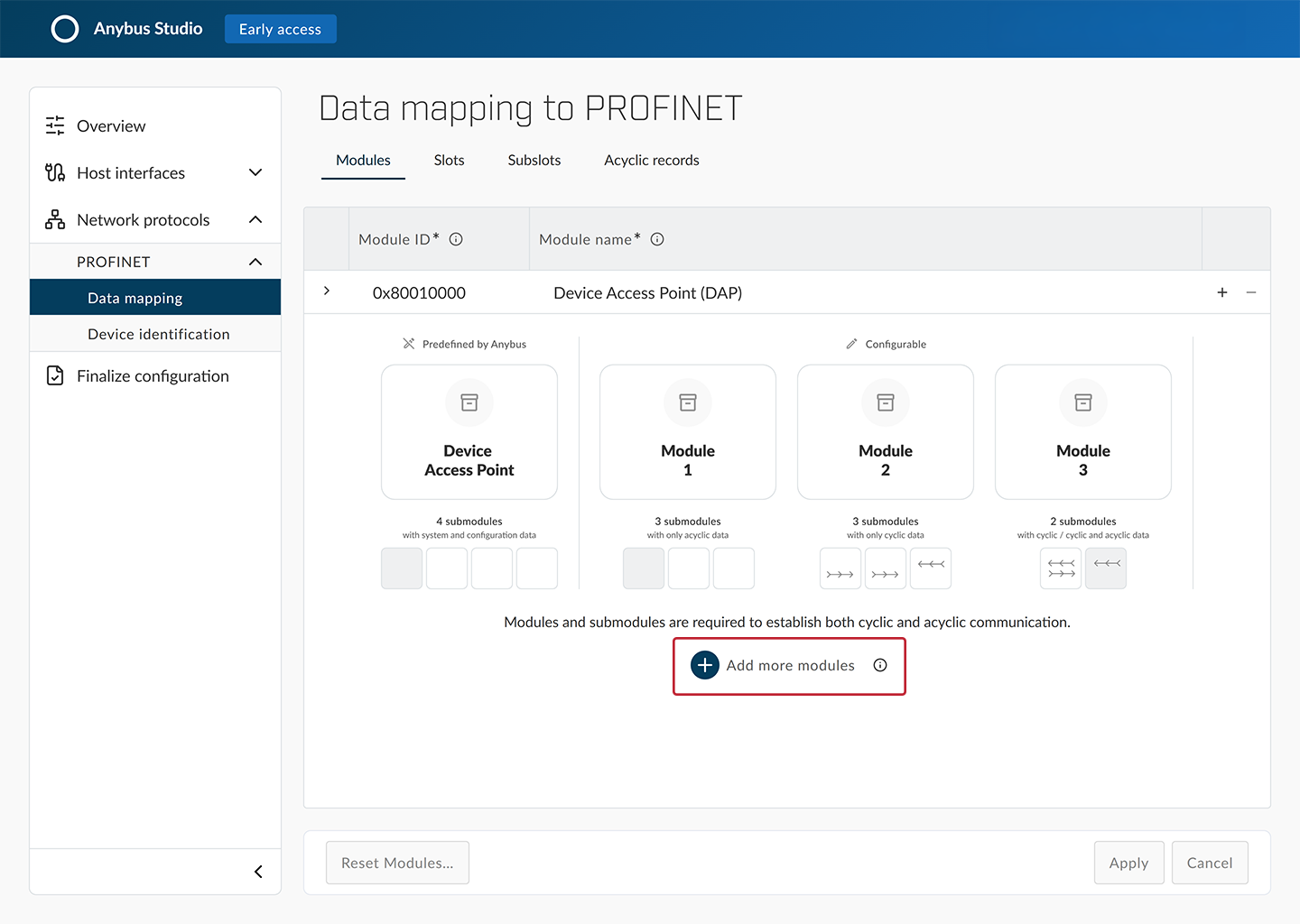 Figure 30.
Enter the values for the module and the submodule:
Module ID: 0x00000001
Module name: StatusDataModule
Submodule ID: 0x00000001
Submodule name: StatusDataSubmodule
Cyclic data set, Input: StatusDataSet
Cyclic data set, Output: -
Virtual: ✓
Click button + in the module row to repeat step 3 with the following values:
Module ID: 0x00000002
Module name: ControlDataModule
Submodule ID: 0x00000001
Submodule name: ControlDataSubmodule
Cyclic data set, Input: -
Cyclic data set, Output: ControlDataSet
Virtual: ✓
Click button Apply.
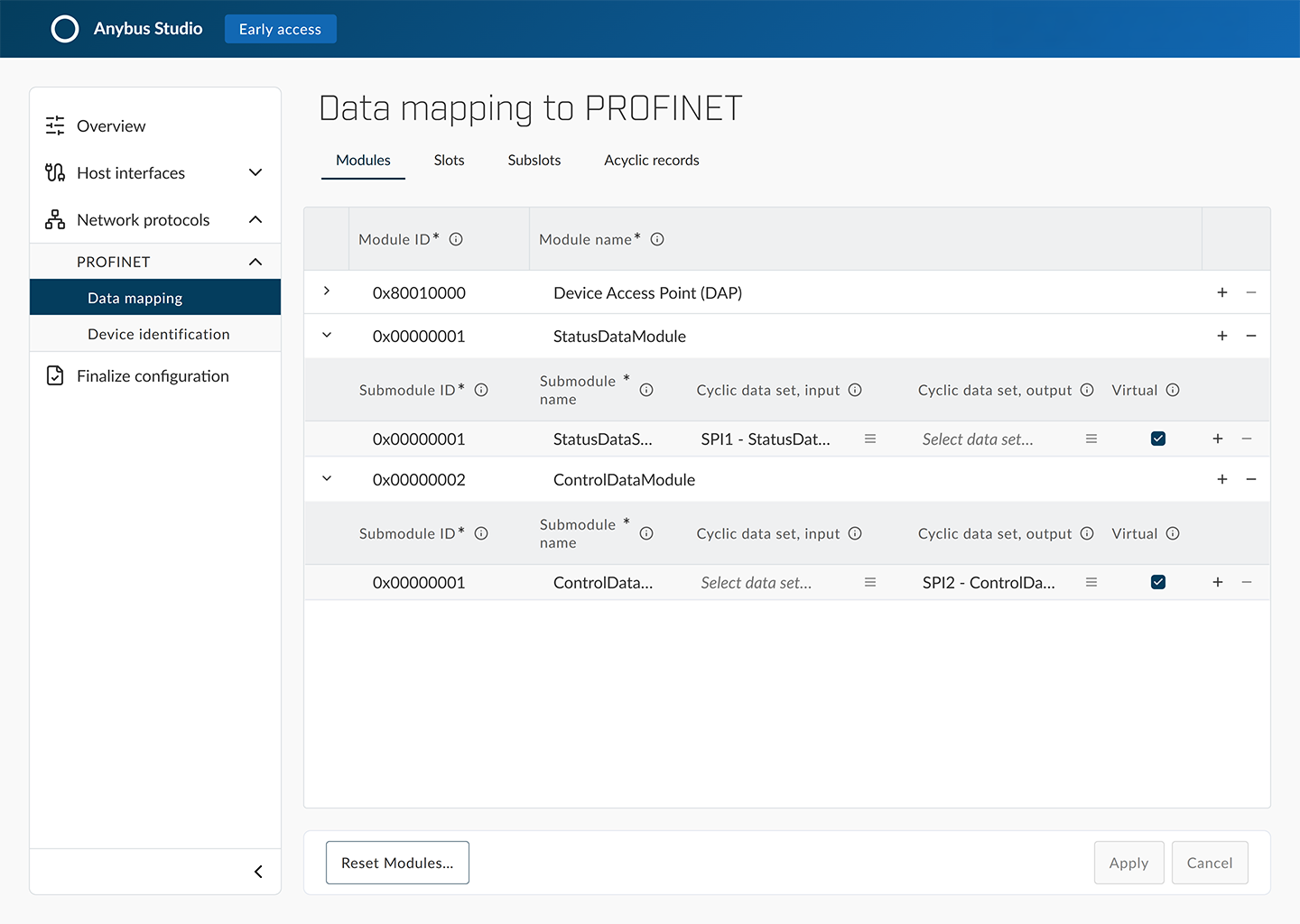
PROFINET SPI Modules example
Figure 31. PROFINET SPI Modules example
The Device Access Point (DAP) module is predefined and cannot be changed. See Device Access Point (DAP).
Slots
Go to Slots tab.
To add a slot and assign module, click button Add more slots.
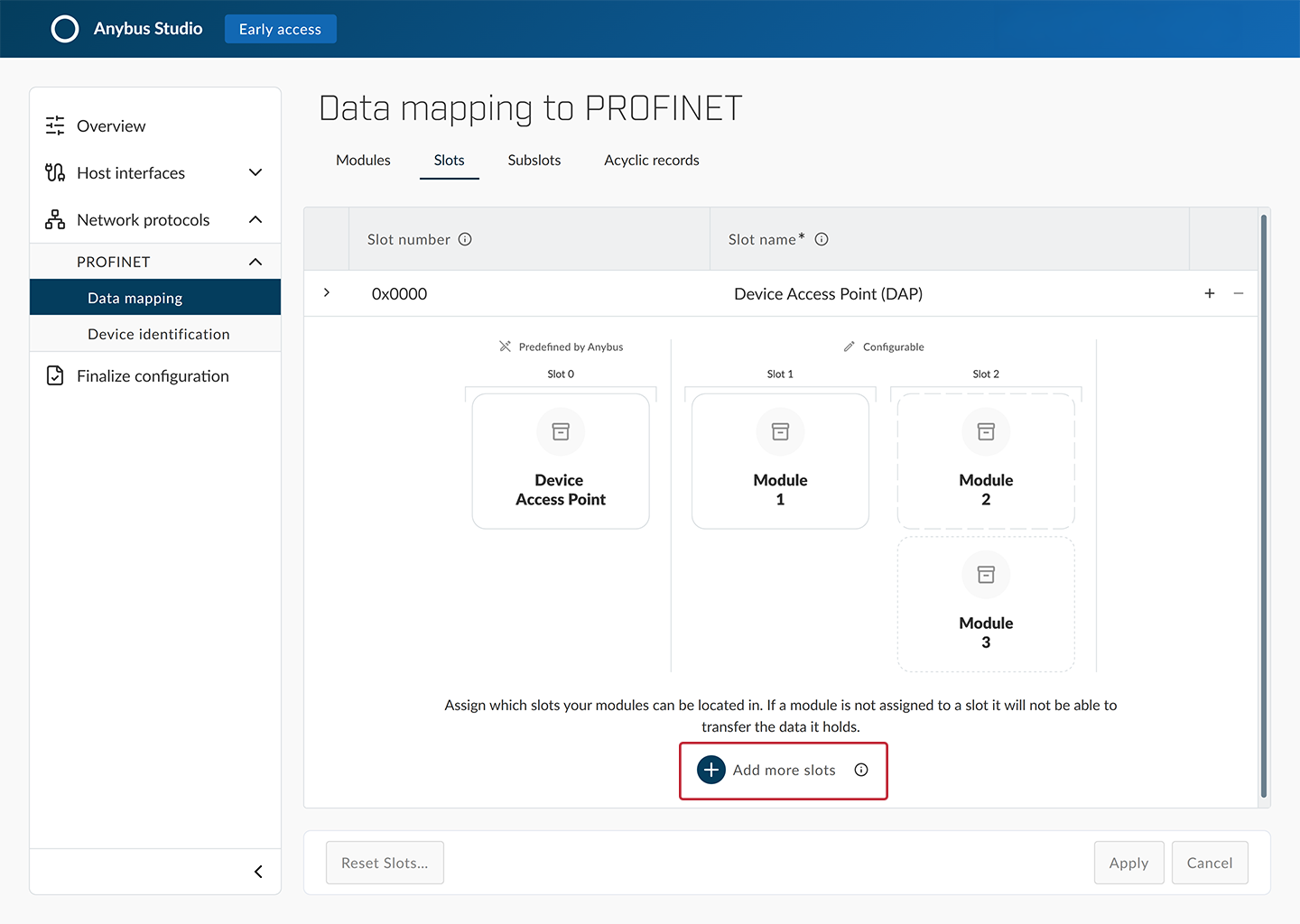 Figure 32.
Enter the values for the slot:
Slot number: 0x0001
Name: StatusSlot
Module in slot: StatusDataModule
Plugging rule: Fixed in
Click button + and repeat step 3 with the following values:
Slot number: 0x0002
Name: ControlSlot
Module in slot: ControlDataModule
Plugging rule: Fixed in
Click button Apply.
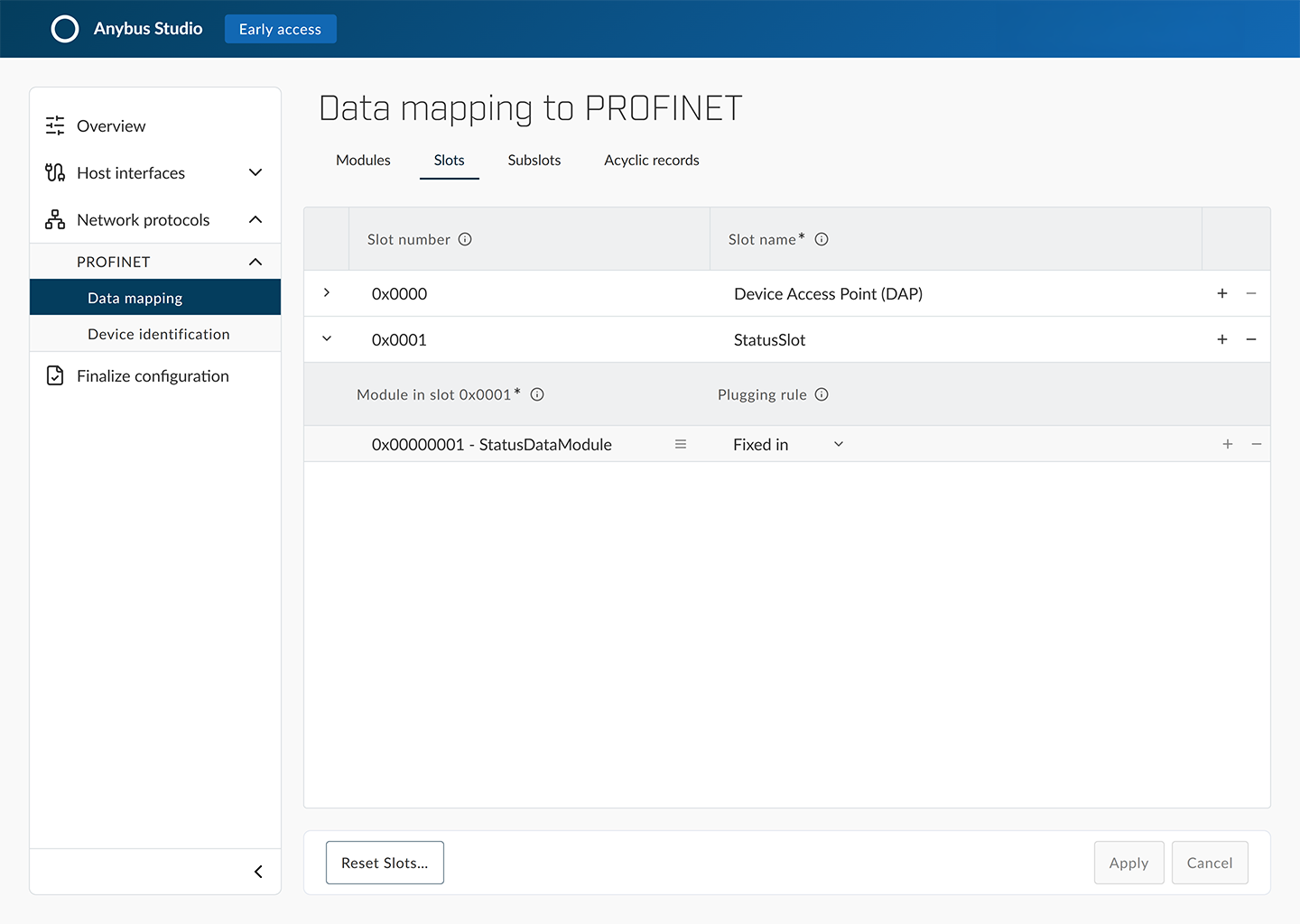
PROFINET SPI Slots example
Figure 33.
The Device Access Point (DAP) slot is predefined and cannot be changed. See Device Access Point (DAP).
Subslots
Go to Sublots tab.
Enter the values for the subslots in the InputModule:
Subslot number: 0x0001
Subslot name: StatusSubslot
Submodule in subslot: StatusDataSubmodule
Repeat step 2 with the values for the OutputModule:
Subslot number: 0x0001
Subslot name: ControlSubslot
Submodule in subslot: ControlDataSubmodule
Click button Apply.
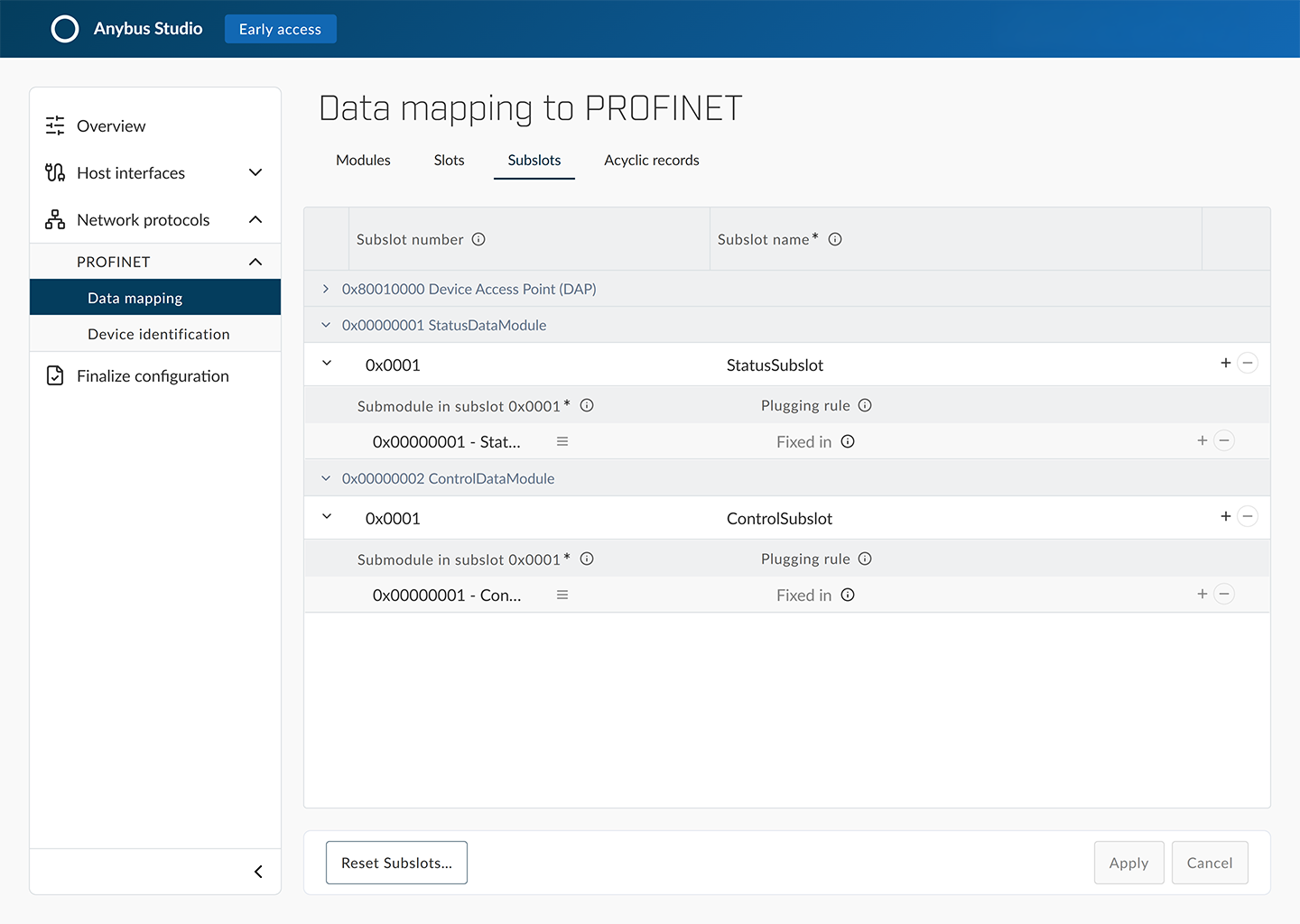
PROFINET SPI Subslots example
Figure 34.
Device Identification
Go to Network protocol > PROFINET > Device identification.
Use default values unless specified:
Identification setting
Data type
Source type
Source / Constant value
Vendor ID
UINT16
Constant
268
Vendor name
STRING
Constant
HMS
Device ID
UINT16
Constant
38
Product family
STRING
Constant
EVK SPI Demo
Order ID
STRING
Constant
My Order Number
Hardware revision
UINT16
Constant
0
Software revision
UINT32
Constant
256
Serial number
UINT32
Built-in
Managed internally
Click button Apply.
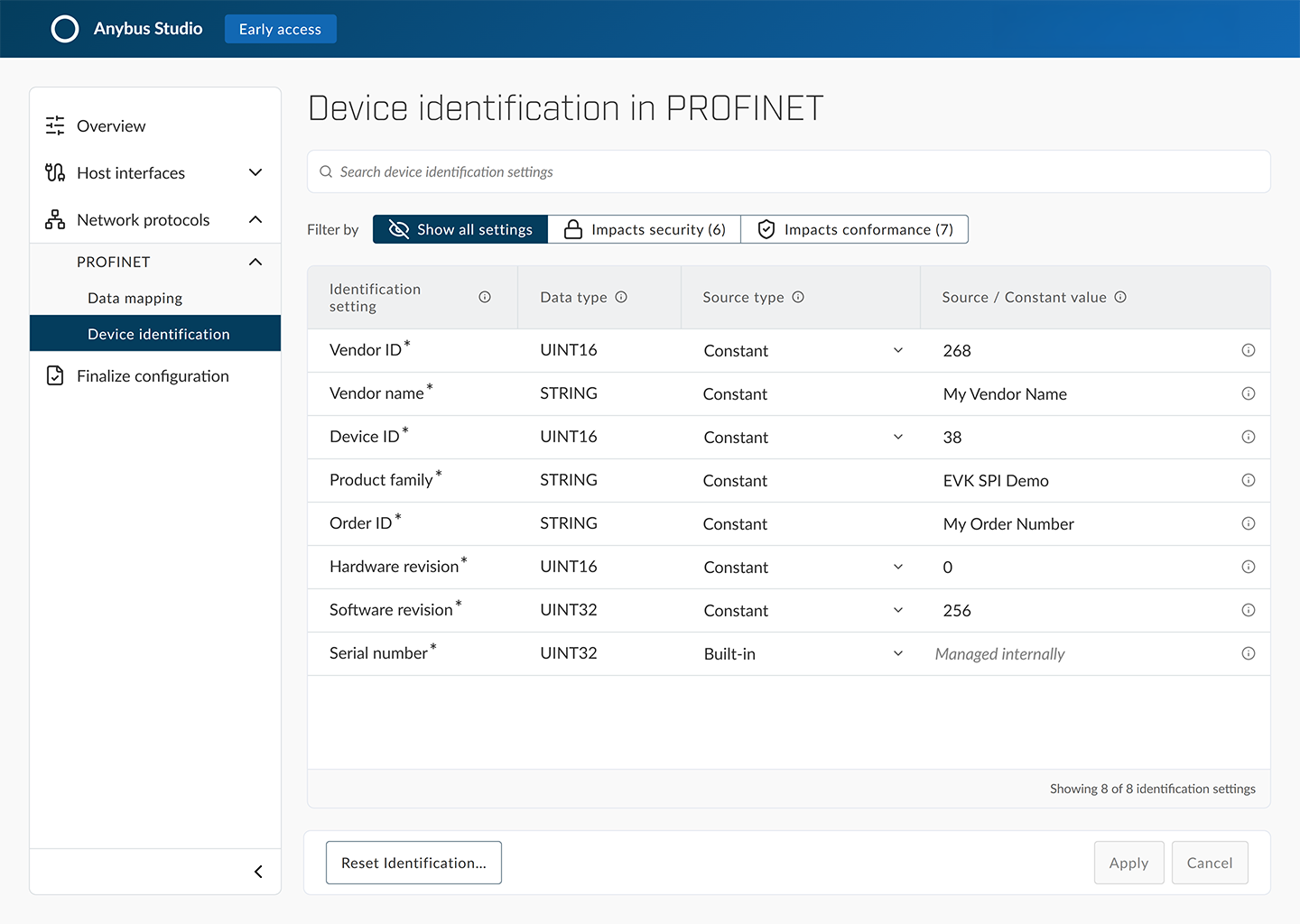
PROFINET SPI Device identification example
To do next
Download configuration files and signing tool, see Finalize the configuration .