Finalize the configuration
Download configuration files and signing tool
Go to Finalize configuration and download the configuration files.
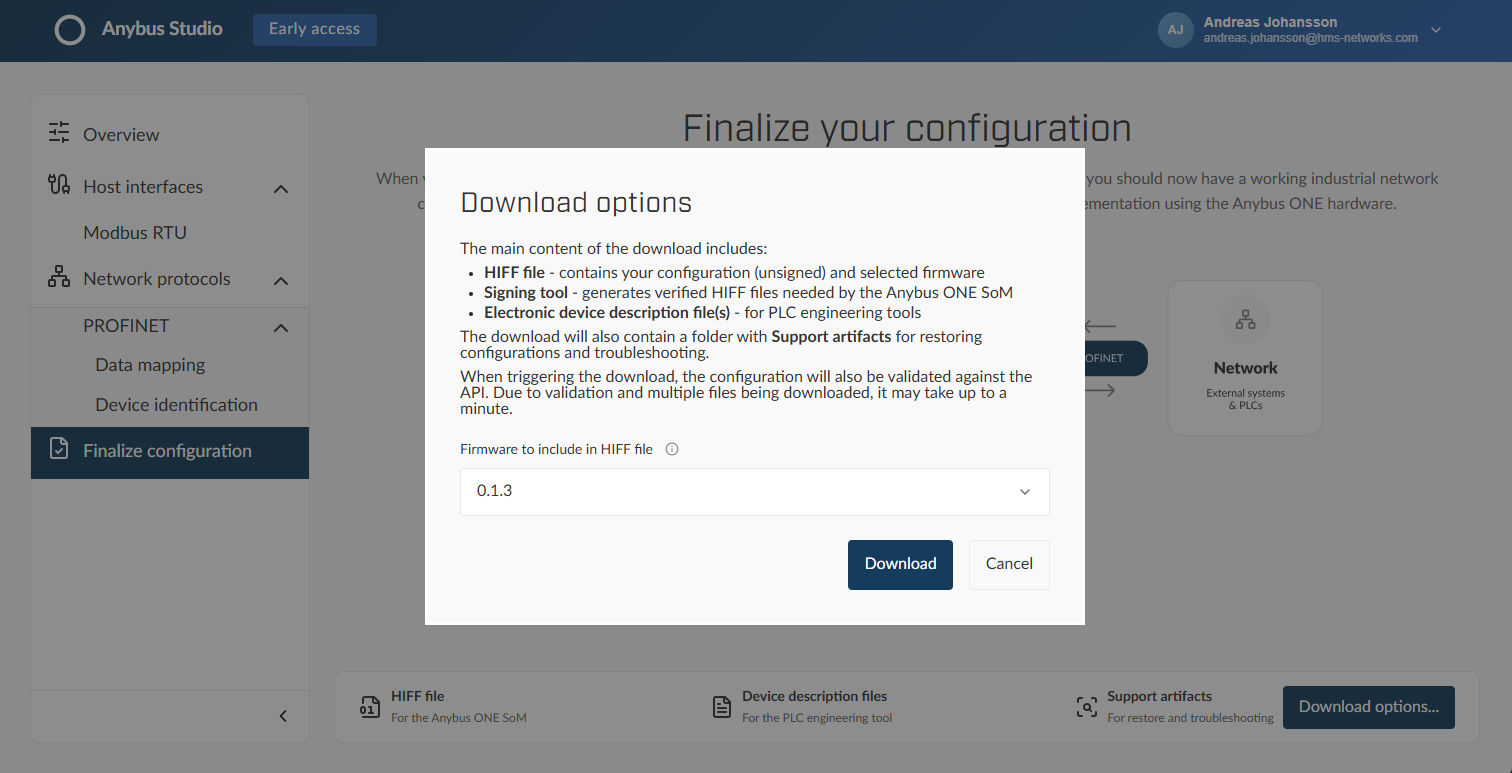 |
If the Anybus ONE Signing tool is already installed, for example when you create several configurations, the Signing tool can be excluded from the download.
The downloaded ZIP file includes the unsigned configuration HIFF file, the PROFINET GSDML file, the C header file, and the Anybus ONE Signing tool. Include the C header file in the host application. The C header file must always match the HIFF file that is downloaded to the SoM.
The downloaded ZIP file includes the unsigned configuration HIFF file, the PROFINET GSDML file, and the Anybus ONE Signing tool.
Sign configuration HIFF file
Extract the configuration files (.zip) folder and run the AnybusONE-SigningTool.exe.
The unsigned HIFF file and the private and public key files are selected by default.
The preselected private key is an example key provided with the Anybus Studio output. In a production configuration, this key is replaced with a user-generated private key.
Click button .
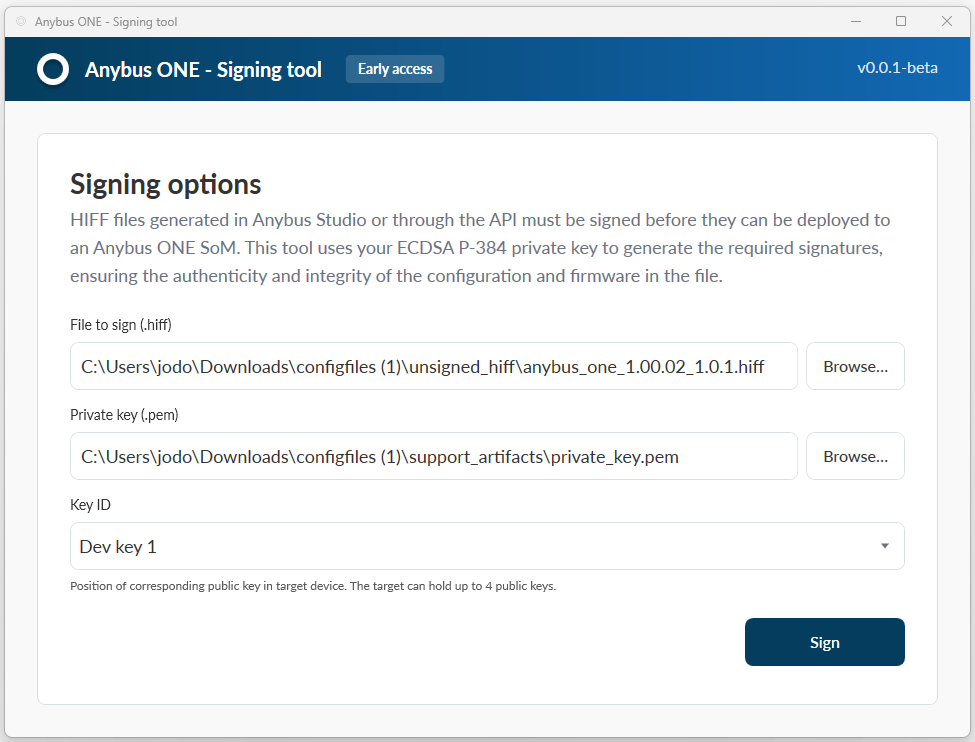 |
The signed HIFF file is automatically saved in the extracted configuration files folder.
See also Sign configuration files.
To do next
Install the signed configuration HIFF file on the Evaluation Board SoM. See Install a configuration on the Evaluation Board SoM.