Connecting Evaluation Board - SPI
The Evaluation Board (EVB) connects to the SPI in one of the following ways:
Through a USB to SPI converter to a PC that runs the demo application. Used for the example configuration.
Directly to a custom host processor, see Create a new configuration.
USB to SPI converter with demo application
This example uses a Microchip MCP2210 USB to SPI converter.
The PC runs Anybus Studio and the demo application. Anybus Studio creates the GSDML file for the PROFINET master and the C header file for the demo application. The demo application communicates with the EVB through the USB to SPI converter.
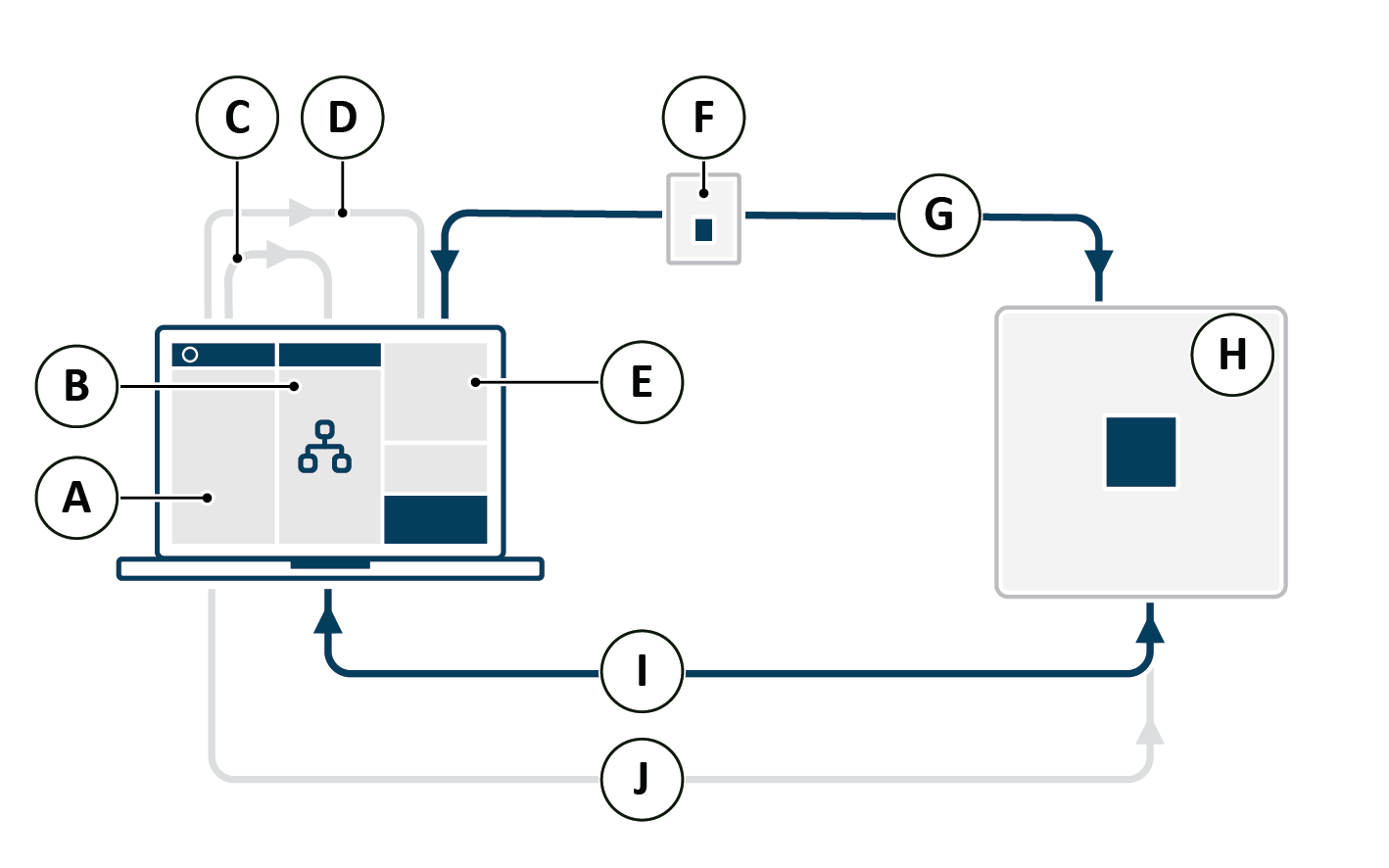 |
|
|
|
Procedure
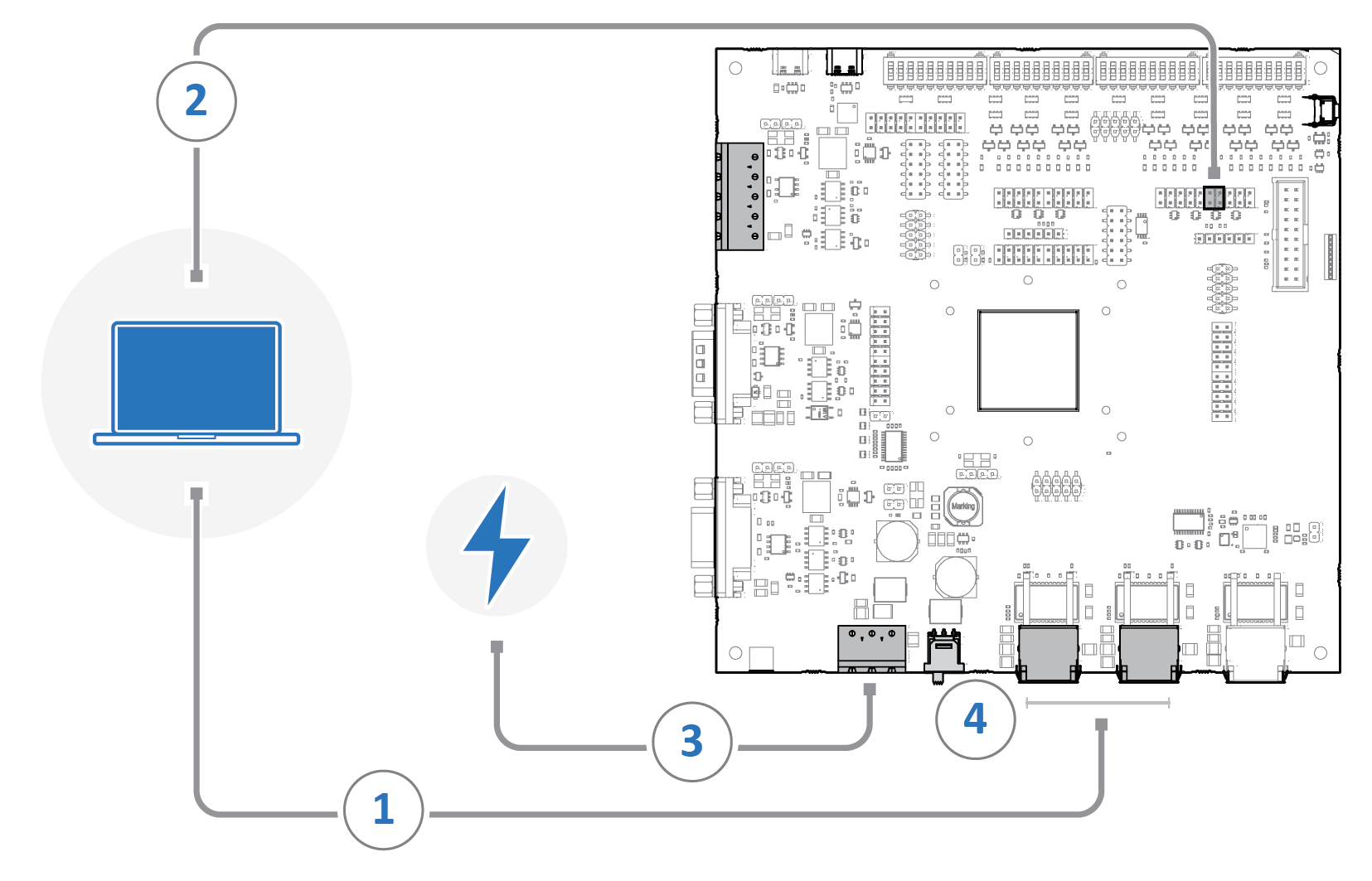 |
Connect and power the EVB :
Plug the Ethernet cable from either available (1) to your computer.
Note
The Ethernet connection is used to transfer the configuration to the Anybus ONE SoM via WebDAV and to run PROFINET network communication.
Note
Match the signal levels of the USB to SPI converter or the custom host processor to the I/O voltage of the SPI interface of the EVB before connecting. The SPI signal level is 3.3 V.
Connect the USB to SPI converter to the SPI interface signals (2) and connect the USB interface to your PC.
For more information about the SPI signals, see SPI Interface.
Plug the (3) into your power supply.
Turn on the (4).
Note
The ON and OFF markings on the power switch are reversed.
Result
The Evaluation Board is now connected and powered.
To do next
Set up network access for the Evaluation Board. See Set up Evaluation Board network access.