Sign configuration files
The Anybus ONE Signing tool uses your ECDSA P-384 private key to sign configuration files. Signing ensures the authenticity and integrity of the configuration and firmware.
Before you begin
HIFF files generated in Anybus Studio or through the API must be signed before deployment to Anybus ONE SoM.
Ensure you have downloaded the configuration files from Anybus Studio. See Download configuration files.
The download zip includes the unsigned configuration HIFF file, private and public key files, and the Anybus ONE Signing tool.
Procedure
Extract the configuration files (.zip) folder.
Run the AnybusONE-SigningTool.exe.
Verify that the correct HIFF file and signing keys are selected.
The Signing tool automatically selects the HIFF file and the private and public key files from the extracted configuration files. You can change the selection if needed.
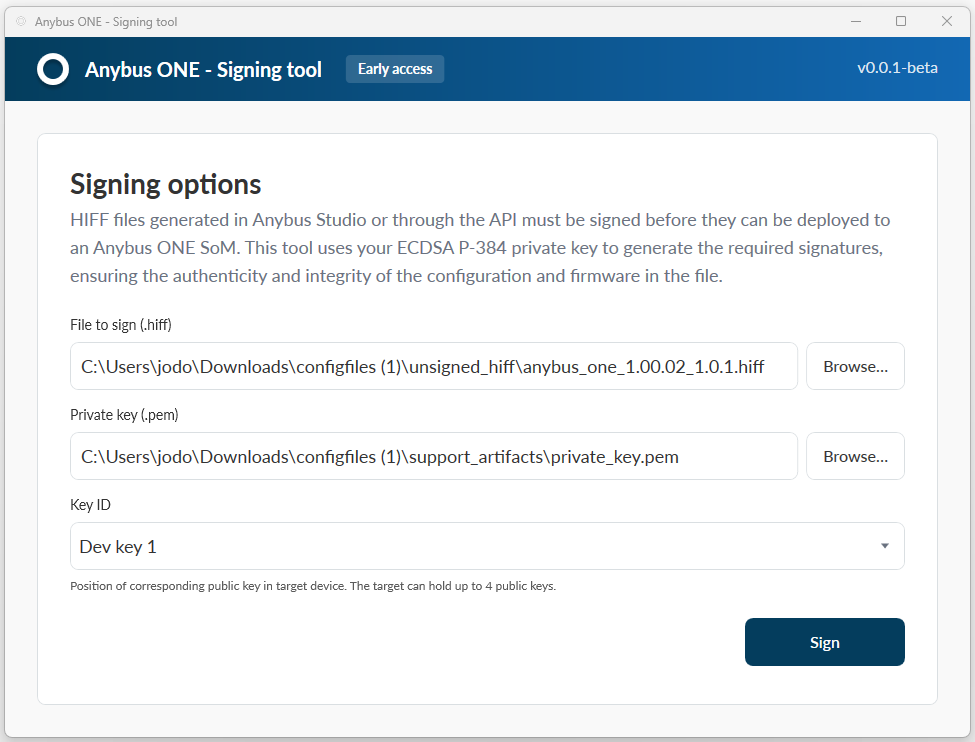 Figure 56. Anybus ONE Signing tool, Signing options
Click .
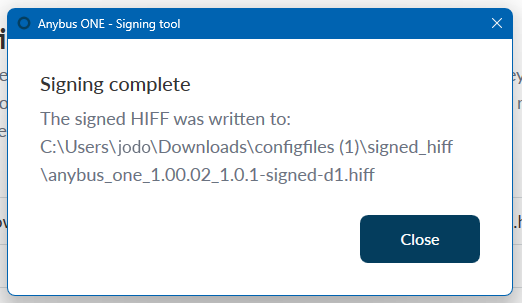 Figure 57. Signing complete
Result
The signing is complete.
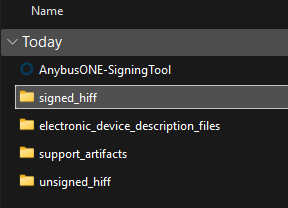
The signed HIFF is added in the extracted configuration files folder.
 |